
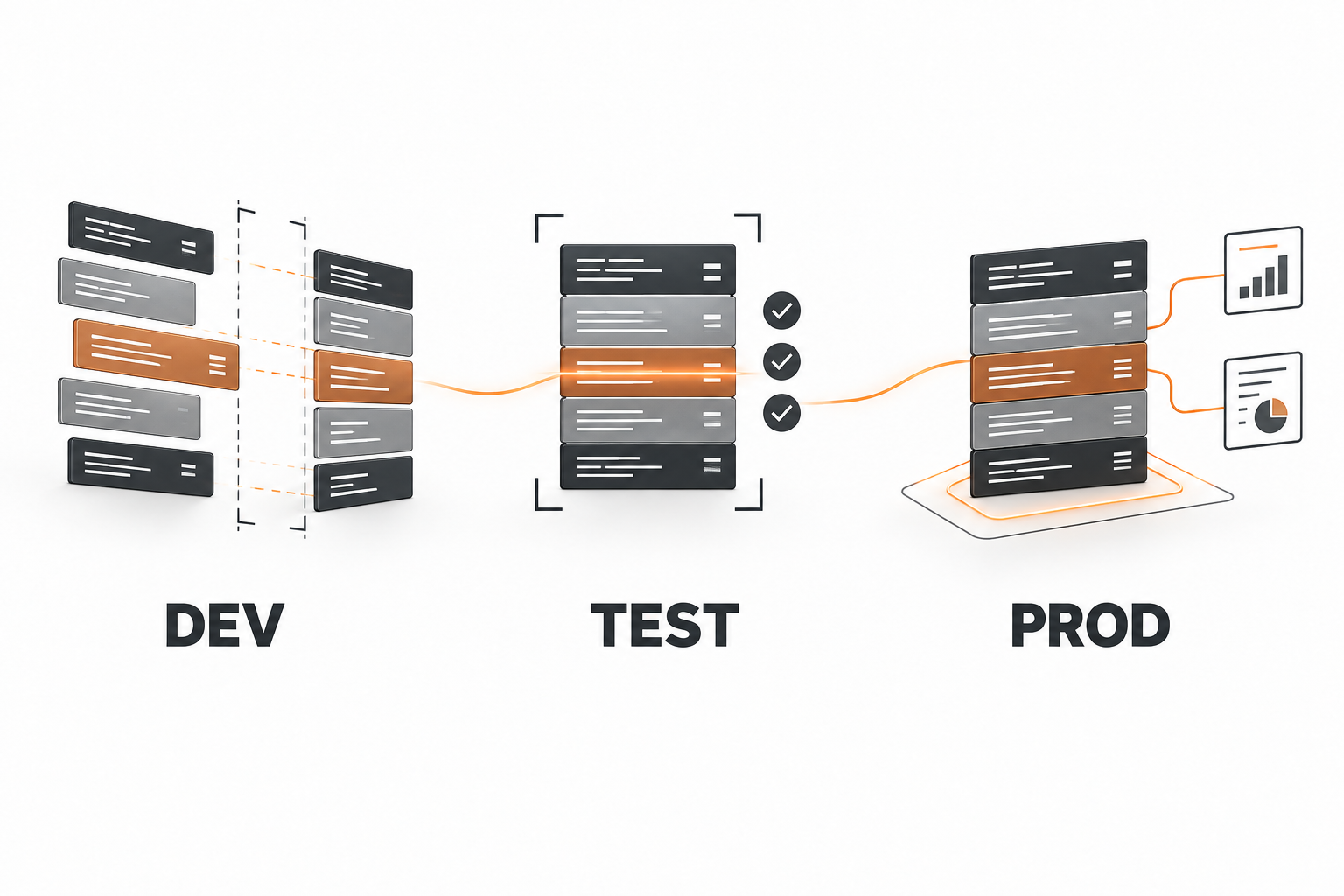
Suppose a team changes the notebook that prepares a weekly sales report. It runs correctly in development. How does the team get that change into Test and Production, with the right settings and a way to check the result? That is the problem DevOps solves.
Microsoft Fabric is Microsoft's cloud analytics platform. Teams organize notebooks, lakehouses, Power BI reports, and other items in Fabric workspaces. A Data Factory pipeline (formerly data pipeline) is one of those items: it runs data activities such as copying or transforming records inside a workspace. It does not release a notebook or report to another workspace.
DevOps is the practice of developing, reviewing, delivering, and operating changes together, not one product or button in Fabric. Continuous integration and continuous delivery (CI/CD) make its checks and releases repeatable. In the wider Microsoft agentic AI stack, this is how data and agent assets reach production safely.
Azure DevOps is a Microsoft suite for managing development work outside Fabric. Its Azure Repos service stores a team's files in Git with a reviewable history of changes; for Fabric, those files describe supported items such as notebooks and reports. Its Azure Pipelines service runs automated steps, such as checking those files, waiting for approval, and invoking a Fabric release. Azure Pipelines is optional: Fabric can move items between workspaces without it.
Fabric Git integration links a workspace to a branch in Azure Repos or GitHub, so supported item definitions can be committed there or updated from there. Fabric deployment pipelines compare and promote supported items between stage workspaces, typically Development, Test, and Production. The tools may be combined, but they are not one mandatory chain.
DevOps is the practice; the named pipelines do different jobs.

Now return to the notebook. Its definition reaches Test, but its external connection does not work and the lakehouse has no data. The deployment did not necessarily fail: publishing a supported item definition is only one part of a working target. Connections, workspace-specific references, execution identity, table data, and acceptance each have their own lifecycle.
Four release concerns move differently.

What a Fabric Release Moves and What Still Needs Setup
Fabric Git integration saves supported workspace items as source files. A notebook's code and a Data Factory pipeline's activity definition can be reviewed in a pull request. A lakehouse can carry metadata, supported shortcuts, and other selected configuration, but its Delta tables and Files data are not copied or versioned by Git or lakehouse deployment.
Missing data calls for a separate initialization or refresh job with a source contract, target permissions, and quality checks. A warehouse schema has another lifecycle: Microsoft's guidance points to database projects and SqlPackage, while lakehouse schema changes usually need executable transformation code.
Schedules are also explicit. Fabric can store supported schedules in a .schedules definition and exposes scheduler APIs, but a release owner still checks each target schedule's state, time, parameters, and execution identity so that promotion does not unexpectedly start a production write job.
Three Ways to Promote Fabric Definitions
All three routes can be driven by a CI/CD runner, but they do not have the same source of truth.
Git Integration and Update from Git
A Fabric workspace connects to a branch and folder in Azure Repos or GitHub. Engineers commit workspace changes or update the workspace from Git, and a release script can call Fabric Git APIs to synchronize each stage's reviewed branch to its workspace. This suits teams that want a repository branch to describe each stage.
Check: which item types are supported, which branch and folder each workspace tracks, and which post-sync bindings or jobs remain.
Fabric Deployment Pipelines
Fabric's native deployment pipelines pair supported items across stage workspaces, then promote item changes between them. Deployment rules and dependency binding can handle selected target differences. This fits when the Fabric workspace is the release source and the team wants a service-native promotion view.
Check: item pairing, rule support, target connections, permissions, and data-source behavior. An unpaired same-name item can become a second item rather than overwrite the expected target, and deployment rules do not cover every data source or item.
Azure DevOps with fabric-cicd or Fabric Item APIs
An Azure Pipelines run can validate the repository, wait for approval, and use Microsoft's fabric-cicd library or Fabric item-definition APIs to publish selected definitions into target workspaces. fabric-cicd supports a parameter.yml file to replace source values with stage-specific values, including dynamic lookups of target workspace or item IDs. Direct APIs make the create or update operation explicit.
Check: what is in scope for each release, which definition is authoritative, how target IDs are resolved, and which checks run afterward. Azure Pipelines orchestrates the release; it does not repair a notebook's connection or populate a lakehouse.
The source of truth determines the release mechanism.

The same routes carry changes made with coding agents. Agent-assisted development in Microsoft Fabric and agentic development for Power BI reports and semantic models explain how those changes become reviewable before they enter this release path.
Why Item IDs and Connections Need Test Values
An item is something stored in a Fabric workspace, such as a notebook or lakehouse. Imagine a notebook named Sales Forecast in Development and a copy created in Test from the same Git definition. Each workspace has a separate live notebook, so each copy has its own item ID (also called an object ID).
Fabric also generates a logical ID in the item's Git metadata, which the two copies can share because they come from the same definition. For supported references to other items in the same workspace, Fabric can save the reference by logical ID and resolve it to the target item ID when the definition is synced to Test. Do not edit the logical ID by hand.
That is a Git-sync behavior, not the rule Fabric deployment pipelines use to pair items. A reference to another workspace can still point to the Development object, and an external connection does not become the Test connection; both need explicit target values and a verification run.
There are two complementary ways to express that plan:
- Fabric Variable Library: a workspace item with named values and stage-specific value sets. Data Factory pipelines, notebooks, and other supported consumers can read the active set. A newly deployed library uses its default set until the target's active set is selected. Item-reference and connection-reference variable types are in preview and hold static IDs until their values are changed for the stage.
fabric-cicdparameter.yml: a repository-side map that replaces selected values in item definition files as they are deployed. It can resolve tokens such as the target workspace or lakehouse ID, which suits a script-driven release whose definitions contain development GUIDs.
Neither mechanism is secrets management. A connection ID is a reference; its credentials and access policy belong to Fabric connection management. Keep credentials out of Git and give the release identity only the rights it needs.
One Git definition can become two different Fabric items.

The Connection Trap We Encountered
In one implementation, we programmatically created and then updated a notebook in a Test workspace. Repeated updates kept the same item ID, so the item-definition upsert worked, yet the notebook still could not use an external Fabric Connection available in development. Creating the connection and binding it to this notebook were separate operations.
Microsoft's Fabric Connection in notebooks documentation describes an explicit Connect action in the notebook interface and marks the integration as preview. The connection-creation REST API creates a connection but does not bind it to a notebook. The release plan therefore treats target binding as a one-time setup and verification task and prefers in-place updates, because delete-and-recreate produces a new item to bind again.
This is a bounded field observation, not a claim that all Fabric connections require manual UI work, and it did not prove post-binding persistence. Verify the current APIs, item type, and target behavior in your own tenant.
A Release Sequence with Evidence
For a source-to-Gold solution, a practical release separates the concerns rather than hiding them in one “Deploy” button:
- Inventory: items, dependencies, external connections, data containers, schedules, stage-specific IDs, and whether Git or a workspace is authoritative.
- Review: a pull request for notebook code, Data Factory pipeline activities, parameters, and the data contract, with static and unit checks.
- Prepare Test: target workspace, external connections, variable-library value set or parameter file, and deployment identity.
- Promote definitions: one chosen route, preferring in-place updates, with a record of what was created, updated, skipped, and paired.
- Complete target setup: notebook bindings, Data Factory pipeline references, schedule state, roles, and controlled schema or data initialization.
- Accept Test: representative data, counts and rejects, reconciled Gold totals, and business sign-off before Production is approved.
- Observe Production: the first scheduled run, failures, freshness, downstream report behavior, and a separate data repair or backout plan.
Once Production is running, monitoring Data Factory pipelines with the Operations Agent covers the preview agent that watches pipeline runs and recommends corrective action.
Reliancy recommendation: disable orphan deletion until the repository is known to represent the entire intended target scope. Deleting an item is not a harmless way to refresh its definition; it can disrupt IDs, bindings, and downstream references.
What the Platform Owner Should Decide
A reliable Fabric release has an answer and an artifact for each of these decisions:
- Which of the three promotion routes owns the release?
- Which supported dependencies rebind by logical ID, and which cross-workspace IDs need explicit target values?
- Who creates and authorizes the external connections?
- Which table schema or data tasks run after definition deployment?
- Who approves a changed schedule and the first production run?
Discuss a Fabric release architecture with Reliancy.
Sources and Product Documentation
- Microsoft Fabric overview
- What is DevOps?
- Azure DevOps overview
- Azure Repos overview
- Azure Pipelines overview
- Pipelines in Fabric Data Factory
- Fabric CI/CD workflow options
- Fabric CI/CD overview
- Fabric Git integration
- Fabric Git source-code format and logical IDs
- Fabric deployment pipelines
- Deployment item pairing
- Cross-workspace dependency binding
- Fabric Variable Library
- Variable Library CI/CD
- Item-reference variables
- fabric-cicd parameterization
- End-to-end Fabric automation tutorial
- Fabric Connection in notebooks
- Fabric connection creation API
- Lakehouse Git integration and deployment
- Fabric job scheduler
- Plan CI/CD for Fabric solutions